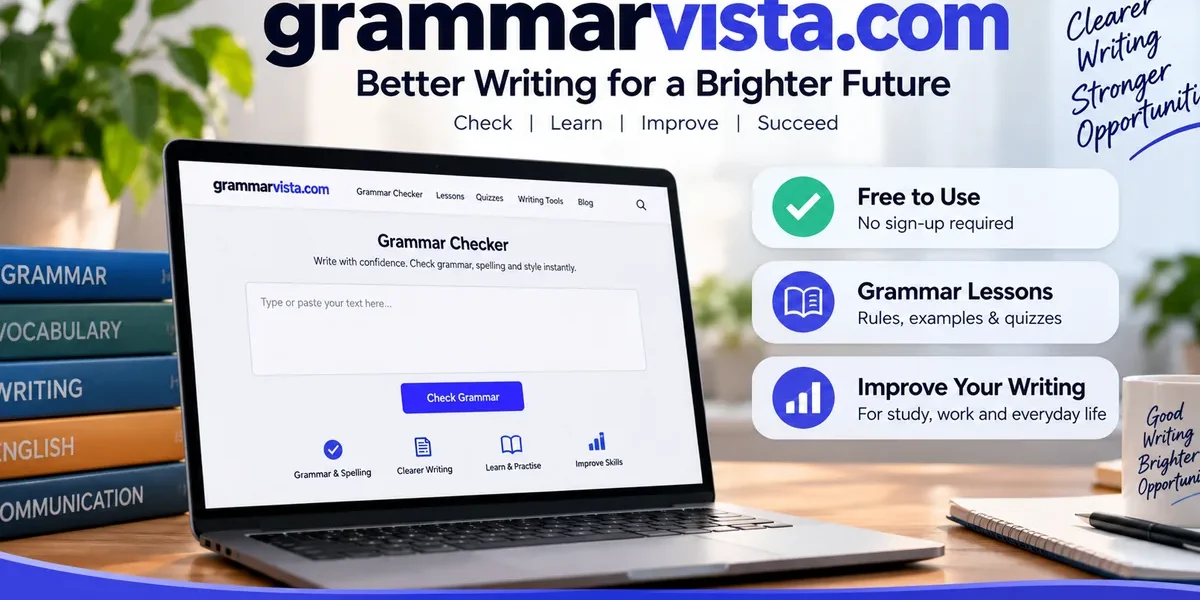
Grammarvista.com is a free browser-based writing and learning website. It combines grammar, spelling, clarity, word-count, vocabulary, and lesson resources without requiring an account for its core checker. The site is best understood as a proofreading and learning aid, not as a replacement for fact-checking, specialist review, or human editorial judgment.
What is grammarvista.com?
grammarvista.com is an independent English-learning site built around two functions: checking text and explaining the rule behind a suggested correction. The public About page identifies Rizwan Aslam as the editor who writes and reviews lessons and works on grammar rules, examples, practice questions, and learning tools. (Source: GrammarVista.com About page).
The site groups its material into writing tools, grammar lessons, common mistake guides, vocabulary resources, American English guidance, and practice content. Its checker is designed for sentence-level language review rather than document management or team publishing.
The public tools page describes four main checking areas: grammar, spelling, clarity and word choice, and word counting. It also states that the checker runs in the browser rather than sending the full text to a server. (Source: GrammarVista.com Tools page).
That structure makes the site useful for users who want a correction plus a short explanation. It is less suited to people looking for workflow management, collaborative editing, document approval, or organization-wide writing controls.
What features does GrammarVista offer?
The main feature set centers on proofreading and language learning. The grammar checker covers 134 grammar and usage rule groups. (Source: GrammarVista.com Tools page). These groups include subject-verb agreement, verb forms, articles, prepositions, countable nouns, comparisons, and commonly confused words.
The spelling checker uses a 276,734-word dictionary. (Source: GrammarVista.com Tools page). When the checker finds a possible misspelling, it can offer close alternatives. The site says it may offer up to three suggestions when a close match exists. (Source: GrammarVista.com Tools page).
The clarity checker looks for wordy phrases and weak wording. GrammarVista states that it covers 44 wordy or weak phrasing patterns. (Source: GrammarVista.com Tools page). This function is intended to flag wording that can be shortened or strengthened without changing the basic meaning.
The word counter reports words, characters, sentences, and estimated reading time. The same tools page states that these counts update as the user types. (Source: GrammarVista.com Tools page).
The table below summarizes the current public feature set.
| Feature | What it does | Source detail |
| Grammar checker | Reviews grammar and usage patterns | 134 rule groups. (Source: GrammarVista.com Tools page). |
| Spelling checker | Checks words against a dictionary | 276,734 words. (Source: GrammarVista.com Tools page). |
| Clarity checker | Flags wordy or weak phrasing | 44 phrasing patterns. (Source: GrammarVista.com Tools page). |
| Suggestions | Offers alternative corrections where available | Up to three options. (Source: GrammarVista.com Tools page). |
| Word counter | Counts words, characters, and sentences | Includes estimated reading time. (Source: GrammarVista.com Tools page). |
| Browser processing | Runs the main checker in the browser | Full checker text is not sent to the site server. (Source: GrammarVista.com Tools page). |
These features cover common proofreading tasks, but they do not establish whether a sentence is factually correct, legally sound, financially accurate, or appropriate for every audience.
How does the grammar checker work?
The checker is designed around a single text box. A user pastes or types content, then chooses a full check or a more focused check such as grammar, spelling, clarity, readability, or word counting.
The public tools page says the main checker and dictionary are downloaded to the browser and run there. (Source: GrammarVista.com Tools page). That is a specific technical choice because the correction logic does not depend on sending every entered sentence back to GrammarVista’s server.
The site states that the main checker can process up to 8,000 characters at a time. (Source: GrammarVista.com Tools page). That capacity is suitable for emails, short essays, article sections, product descriptions, support replies, and similar pieces of text. Longer documents need to be divided into smaller sections.
A useful way to work with the checker is to review one suggestion at a time. Automated corrections can identify repeatable patterns, but the writer still has to decide whether the proposed wording preserves meaning, tone, terminology, and context.
This matters most with names, industry terms, product names, quoted language, and intentionally informal copy. A spelling or grammar rule can be mechanically reasonable while still being wrong for a specific sentence.
Is grammarvista.com free?
Yes. grammarvista.com states that its core checker is free, requires no account, requires no email address, and has no paid tier holding back better corrections. (Source: GrammarVista.com About page).
The tools page also says there is no stated daily cap for the main checker. (Source: GrammarVista.com Tools page). The practical limit that users are more likely to notice is the 8,000-character limit per check. (Source: GrammarVista.com Tools page).
This pricing model makes the site easy to test because a user does not need to create a profile before checking text. It also reduces the friction that comes with subscriptions or trial periods.
A free checker should still be judged on the quality of its suggestions. Users should compare corrections against the intended meaning and, for important documents, against a style guide or a human reviewer.
Paid writing tools can include features that go beyond basic proofreading, such as team administration, shared style rules, integrations, analytics, or specialist AI functions. [AUTHORITY LINK 1] The absence of a fee on GrammarVista’s core checker does not mean it offers every feature found in larger commercial writing suites.
Does grammarvista.com use American English?
Yes. GrammarVista states that American English is its default while common British forms are also recognized and labelled where usage differs. (Source: GrammarVista.com American English guide).
This means spellings such as color and colour or center and centre can be treated as regional variants rather than automatic errors. [AUTHORITY LINK 2] The practical issue is consistency. A document aimed at a U.S. audience normally benefits from one spelling system rather than a mixture of American and British forms.
The site’s American English material also covers differences in spelling, vocabulary, punctuation, and usage. (Source: GrammarVista.com American English guide). That focus can help international users who know standard English but need to adapt a document for U.S. readers.
Writers should still follow any required house style. A university, employer, publisher, or client may specify its own spelling, capitalization, punctuation, and date conventions.
Is grammarvista.com safe to use?
GrammarVista states that its main checker runs inside the browser and that text entered into that checker is not sent to its server, stored, or logged. (Source: GrammarVista.com About page). The tools page repeats that the checker and dictionary run locally after loading. (Source: GrammarVista.com Tools page).
That design reduces one common privacy concern associated with online text-processing tools. It does not remove every security consideration. A user’s browser, device, network, installed extensions, or organizational policies can still affect how sensitive information should be handled.
Users should avoid pasting passwords, authentication keys, confidential customer records, unpublished legal strategy, sensitive health information, private financial records, or proprietary source code into any online writing service unless their organization permits it.
The public site provides an About page, contact route, editorial policy, privacy information, and terms. These are useful transparency signals, but they are not the same as an independent security audit, a contractual enterprise privacy review, or a formal compliance certification.
For low-risk writing such as public blog drafts, routine emails, study exercises, and non-confidential copy, the browser-based processing model is a relevant technical detail. For regulated or confidential work, internal policy should decide which tools are allowed.
Who writes and reviews GrammarVista content?
GrammarVista publicly identifies Rizwan Aslam as its editor. The About page states that he writes and reviews lessons and works on the grammar rules, examples, practice questions, and tools used across the site. (Source: GrammarVista.com About page).
The homepage also says rules are checked against established English usage before publication and that examples are written for the site rather than copied from elsewhere. (Source: GrammarVista.com homepage).
Those statements explain the editorial process presented by the site. They do not provide a full corporate history, legal ownership record, or independent audit of every lesson.
For readers evaluating a language site, a named editor and a published editorial policy make it easier to understand who is responsible for the material. Users can then compare individual explanations with established dictionaries, style manuals, academic references, or other trusted language sources when a point is disputed.
What can grammarvista.com check well?
The site is best suited to repeatable language problems that can be identified from sentence structure or word form. These include spelling, subject-verb agreement, verb forms, article usage, prepositions, some confused-word pairs, and wordy phrasing. (Source: GrammarVista.com Tools page).
It can also help with surface-level consistency. The word counter gives basic document statistics, and the American English materials can help users notice regional spelling differences. (Source: GrammarVista.com Tools page; GrammarVista.com American English guide).
The learning value comes from the explanations attached to corrections. The About page says the site’s approach is to show what was written, what it should be, possible alternatives, and a plain-language reason for the change. (Source: GrammarVista.com About page).
That model is useful when the goal is not just to clean up one draft but also to reduce repeated mistakes. A student who keeps missing article usage or subject-verb agreement can use the explanation as a mini lesson rather than simply accepting the edit.
The checker is less reliable for questions that require facts outside the sentence. It cannot know whether a revenue figure is current, whether a legal claim is valid, whether a citation exists, or whether a technical statement is correct.
What are the limits of grammarvista.com?
The site is not a fact-checker, plagiarism checker, legal reviewer, financial validator, or subject-matter expert. Its public tool descriptions focus on grammar, spelling, clarity, word choice, counts, and language learning. (Source: GrammarVista.com Tools page).
A sentence can be grammatically correct and still be misleading or wrong. A polished paragraph can contain an outdated date, a false statistic, a misspelled proper name, or a claim that lacks evidence.
The checker also works at a smaller scale than many document platforms because each check has an 8,000-character limit. (Source: GrammarVista.com Tools page). Users working with long reports, books, manuals, or research papers need to divide the text into sections.
The public pages do not prominently advertise organization-wide features such as central administration, single sign-on, shared team style rules, audit controls, or deep workplace integrations. That makes the service better matched to individual proofreading than to enterprise writing governance.
Another limit is context. Automated rules can misread intentional fragments, dialogue, slogans, technical jargon, names, dialect, or brand language. The site itself advises users to learn from the reason behind a suggestion rather than treating every correction as automatic. (Source: GrammarVista.com About page).
Who is GrammarVista useful for?
The site is most useful for students, English learners, freelancers, writers, office workers, and small teams that need quick sentence-level proofreading without account setup.
Students can use the grammar explanations and practice material to understand recurring errors. English learners can compare American English forms with alternatives and use the site’s lessons to study grammar terms in context. (Source: GrammarVista.com American English guide).
Freelancers and writers can use the checker for emails, proposals, short articles, landing-page copy, product descriptions, and client messages. The 8,000-character limit means longer pieces need to be checked in sections. (Source: GrammarVista.com Tools page).
Office workers can use it as a first pass before sending routine messages or reports. Important business documents should still be reviewed for names, dates, amounts, commitments, and tone because those issues are outside a grammar checker’s core function.
The no-account model is also relevant for people who want occasional proofreading rather than a persistent writing profile. GrammarVista says the core tools can be used without registration. (Source: GrammarVista.com About page).
How should students use GrammarVista?
Students should use GrammarVista as a revision aid rather than a substitute for learning or assignment requirements. The site’s stated teaching model is to explain the reason behind a correction so the user can recognize the pattern later. (Source: GrammarVista.com About page).
A practical student workflow is to draft first, run a grammar or spelling check second, and then review each suggestion against the original meaning. The student should keep citations, facts, quotations, and assignment instructions separate from the grammar check.
For essays, the 8,000-character limit may require checking one section at a time. (Source: GrammarVista.com Tools page). Splitting a long paper can be useful if the student keeps the full document open elsewhere and checks paragraph transitions after recombining the sections.
Students should also follow institutional rules on AI and writing assistance. Grammar correction may be permitted where content generation is restricted, but policies differ by school, course, and instructor. The checker does not determine whether a particular use complies with an academic integrity policy.
How can professionals use GrammarVista?
Professionals can use GrammarVista for a first proofreading pass on routine business writing. Suitable examples include emails, customer replies, short reports, proposals, web copy, internal updates, and product descriptions.
The checker can find language issues before a human review, while the writer retains responsibility for factual accuracy, commitments, figures, names, and tone. GrammarVista’s tools page describes grammar, spelling, clarity, and word-count functions, not factual verification. (Source: GrammarVista.com Tools page).
A useful process is to draft for meaning first, then run the checker, then verify business details separately. If the document includes legal obligations, financial disclosures, medical information, regulatory claims, or safety instructions, a qualified reviewer should handle the specialist content.
Teams with formal style requirements should keep their own style guide. Grammar software cannot infer every internal rule about product naming, capitalization, abbreviations, preferred terminology, or approval language.
For occasional proofreading, the no-account model is convenient. For company-wide writing management, organizations should assess whether they need central controls, integrations, shared terminology, retention terms, or contractual privacy commitments.
GrammarVista vs human editing
GrammarVista and a human editor address different levels of review. The software is designed to detect repeatable language patterns, while a human reviewer can interpret purpose, audience, evidence, context, and risk.
The comparison below shows where each approach is more useful.
| Task | GrammarVista checker | Human editor or specialist |
| Spelling | Useful for standard words | Useful for names, context, and exceptions |
| Basic grammar | Useful for rule-based issues | Useful for context-sensitive decisions |
| Wordiness | Can flag known patterns | Can reshape whole paragraphs |
| Tone | Limited contextual judgment | Can judge audience and intent |
| Argument structure | Not a core function | Can assess logic and organization |
| Fact-checking | Not a core function | Can verify claims with sources |
| Legal meaning | Not a substitute | Requires qualified review when needed |
| Financial accuracy | Not a core function | Requires verification of figures and assumptions |
GrammarVista can save time on mechanical review, but a clean checker result does not prove that a document is accurate or publication-ready. The final review standard should match the risk of the document.
How does GrammarVista compare with other writing tools?
The site competes for some of the same proofreading use cases as larger writing assistants, but its public positioning is narrower. GrammarVista emphasizes free access, browser-side checking, explanation of corrections, American English guidance, and educational material. (Source: GrammarVista.com About page; GrammarVista.com Tools page).
Larger commercial tools can offer broader product suites, account-based history, browser extensions, desktop integrations, team administration, style guides, analytics, generative writing features, plagiarism detection, or enterprise contracts. Feature availability varies by provider and plan.
GrammarVista’s main advantage is low friction. A user can open the checker and work without registration. Its main tradeoff is that the public product does not present itself as a full workplace writing platform.
The right choice depends on the task. Someone checking a short email may value a free browser tool. A company managing hundreds of writers may care more about central administration and integration with workplace software.
Comparisons should be made feature by feature rather than by brand name alone because pricing, limits, and product capabilities can change.
How to use GrammarVista effectively
Start with a complete draft. Grammar tools work best when the writer already knows the purpose, audience, and main point.
- Paste or type a section into the checker.
- Choose the full check or a focused grammar, spelling, clarity, readability, or word-count view.
- Review each correction instead of accepting changes automatically.
- Read the explanation and compare it with the sentence’s intended meaning.
- Keep intentional names, jargon, quotations, and brand terms when they are correct.
- Re-read the revised paragraph as a whole.
- Verify facts, figures, dates, links, citations, and commitments separately.
- Use human or specialist review when the document carries legal, financial, medical, regulatory, or reputational risk.
The current public limit is 8,000 characters for a single check. (Source: GrammarVista.com Tools page). Longer documents should be divided into logical sections so the writer can preserve context during review.
Is GrammarVista worth using?
GrammarVista is worth considering for users who want free, account-free proofreading plus short explanations of common English errors. Its strongest fit is individual writing where grammar, spelling, clarity, and learning matter more than collaboration or enterprise controls.
The public feature set is specific enough to evaluate before use. GrammarVista lists 134 grammar and usage rule groups, a 276,734-word spelling dictionary, 44 clarity patterns, and browser-based processing for the main checker. (Source: GrammarVista.com Tools page).
Those numbers describe coverage, not guaranteed accuracy. The site does not publish a universal accuracy percentage on the pages reviewed, and users should judge suggestions against context.
For routine writing, the service can serve as a useful first pass. For high-stakes documents, the checker should be one layer in a broader review process that includes factual verification and appropriate human judgment.
Conclusion
GrammarVista is a free browser-based grammar and writing aid with correction explanations, American English guidance, and learning resources. Its main value is fast sentence-level proofreading without account setup. Users should still verify facts, context, tone, and specialist content separately.
FAQ
Is grammarvista.com free to use?
Yes. The site says its core checker is free, with no account, email registration, or paid tier required for better corrections. (Source: GrammarVista.com About page). The main checker also has no stated daily usage cap. (Source: GrammarVista.com Tools page).
Does grammarvista.com store pasted text?
The site says the main checker runs in the browser and does not send, store, or log the full text entered into that checker. (Source: GrammarVista.com About page). Users should still follow workplace rules for confidential or regulated information.
Can grammarvista.com check British English?
Yes. American English is the default, but the site says common British spellings are recognized and regional differences are labelled. (Source: GrammarVista.com American English guide). Writers should use one variety consistently when a document has a defined audience or house style.
Who writes the lessons on GrammarVista?
GrammarVista identifies Rizwan Aslam as its editor and says he writes and reviews lessons while working on grammar rules, examples, practice questions, and tools. (Source: GrammarVista.com About page).
Can grammarvista.com replace a human editor?
No. The checker is designed for grammar, spelling, clarity, and related language issues. (Source: GrammarVista.com Tools page). Human review is still needed when meaning, factual accuracy, tone, structure, legal interpretation, or specialist subject knowledge matters.